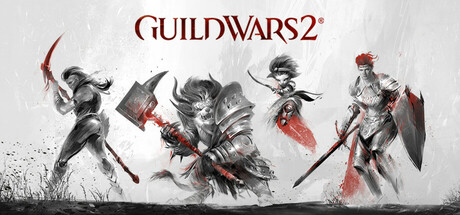
Guild Wars 2®
Guild Wars 2 is an award-winning online roleplaying game with fast-paced action combat, deep character customization, and no subscription fee required. Choose from an arsenal of professions and weapons, explore a vast open world, compete in PVP modes and more. Join over 16 million players now!
- Price (US)
- Free to play
- Developer
- ArenaNet®
- Released
- Aug 23, 2022
- Genres
- Adventure, Massively Multiplayer, RPG, Free To Play
- Platforms
- Windows
- Metacritic
- 90 ↗
- Website
- guildwars2.com ↗
How many people are playing Guild Wars 2®?
Guild Wars 2® had 4,336 concurrent players on Steam at the latest hourly reading, Nov 7, 2026, 20:00 UTC, up 14% from 3,818 a day earlier. As of Nov 7, 2026, 20:00 UTC, it ranks #248 of the 505 games tracked here, down 9 places from #239 a day earlier.
The highest count recorded here since tracking began on Sep 23, 2026 is 6,223, on Oct 18, 2026; the latest reading is 70% of that.
Over the last four weeks, Guild Wars 2® has been busiest during the evening in Europe, with the busiest hour around 19:00 UTC. That's when its players play, not necessarily where they live.
Insights
What the hourly counts say about when it's played and how updates land.
Recent Guild Wars 2® updates
The change in average players in the week after each update, compared with the week before.
- Sep 15, 2026 Major update Play the Finale of Visions of Eternity Today with "Code of Creation" ↗ Not tracked the week before
- May 12, 2026 Major update "The Only Way" Is Live: Play the next chapter of Guild Wars 2 now! ↗ Not tracked the week before
Games ranked near Guild Wars 2®
-
By concurrent players at the latest hour